Best AI Coding Assistants Comparison: Tested & Reviewed 10+ AI Tools (2026)
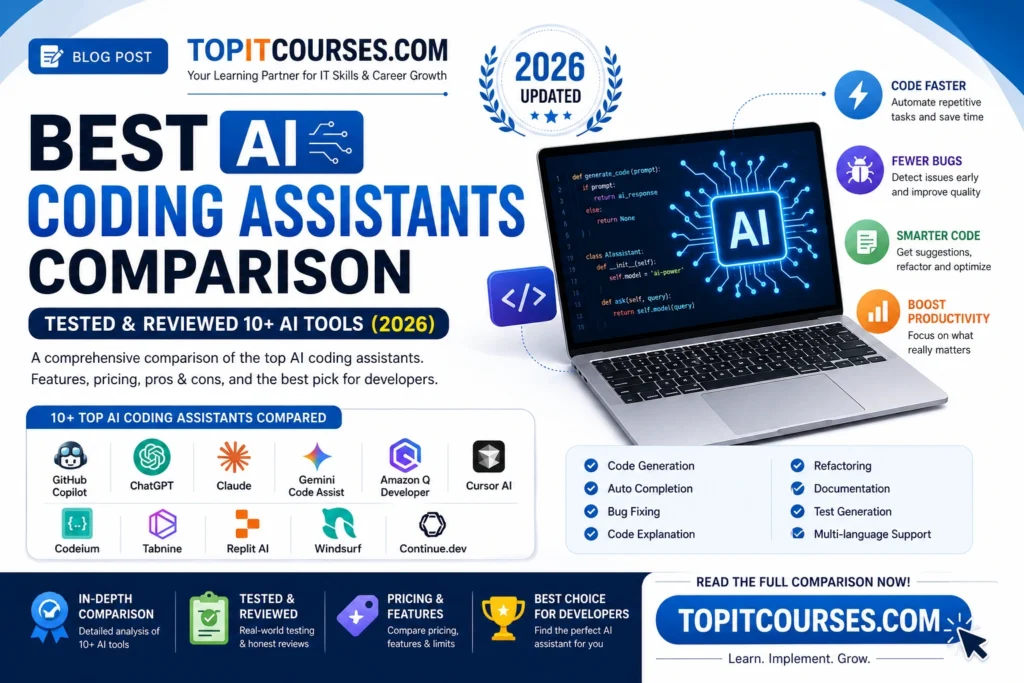
Artificial Intelligence has completely transformed software development. From writing code and debugging applications to generating documentation and explaining complex algorithms, AI coding assistants have become an essential tool for developers.
If you’re searching for the Best AI Coding Assistants Comparison, this detailed guide compares more than 10 popular AI coding tools based on real-world usage, features, pricing, supported programming languages, and overall developer experience.
Whether you’re a beginner, student, freelancer, or professional software engineer, this guide will help you choose the right AI coding assistant in 2026.
What Are AI Coding Assistants?
AI coding assistants are intelligent software tools powered by Large Language Models (LLMs). They assist developers by:
- Writing code automatically
- Completing code snippets
- Finding bugs
- Explaining existing code
- Refactoring code
- Creating documentation
- Generating unit tests
- Answering programming questions
Instead of spending hours searching Stack Overflow or documentation, developers can now solve coding problems within seconds.
Why AI Coding Assistants Are Popular in 2026
The popularity of AI coding tools continues to grow because they offer several benefits:
- Faster software development
- Higher coding accuracy
- Reduced debugging time
- Improved productivity
- Better code quality
- Easier learning for beginners
- Multi-language support
- IDE integration
This Best AI Coding Assistants Comparison helps you understand which tool offers the best value for your needs.
Best AI Coding Assistants Comparison Table (2026)
| AI Tool | Best For | Free Plan | IDE Support | Rating |
|---|---|---|---|---|
| GitHub Copilot | Professional Developers | Limited | VS Code, JetBrains | ⭐⭐⭐⭐⭐ |
| ChatGPT | Coding & Learning | Yes | Extensions | ⭐⭐⭐⭐⭐ |
| Claude | Long Code Analysis | Yes | Browser | ⭐⭐⭐⭐⭐ |
| Gemini Code Assist | Google Developers | Yes | VS Code | ⭐⭐⭐⭐☆ |
| Amazon Q Developer | AWS Developers | Yes | IDEs | ⭐⭐⭐⭐☆ |
| Cursor AI | AI Code Editor | Yes | Built-in Editor | ⭐⭐⭐⭐⭐ |
| Codeium | Free AI Coding | Yes | VS Code & More | ⭐⭐⭐⭐☆ |
| Tabnine | Enterprise Teams | Yes | Multiple IDEs | ⭐⭐⭐⭐☆ |
| Replit AI | Online Coding | Yes | Browser IDE | ⭐⭐⭐⭐☆ |
| Windsurf | AI IDE | Yes | Built-in | ⭐⭐⭐⭐⭐ |
| Continue.dev | Open Source | Yes | VS Code | ⭐⭐⭐⭐☆ |
1. GitHub Copilot
GitHub Copilot remains one of the most popular AI coding assistants available today.
Features
- Intelligent code completion
- AI chat
- Bug fixing
- Test generation
- Documentation generation
- Multi-language support
Supported Languages
- Python
- Java
- JavaScript
- C++
- C#
- Go
- PHP
- Ruby
- TypeScript
- SQL
Pros
- Excellent code suggestions
- Seamless IDE integration
- Highly accurate
- Enterprise-ready
Cons
- Paid subscription for full features
- Internet connection required
Best For
Professional developers and software teams.
2. ChatGPT
ChatGPT has become one of the best AI coding assistants for writing, debugging, and explaining code.
Features
- Code generation
- Bug fixing
- Documentation
- Algorithm explanations
- Code optimization
- API assistance
Pros
- Supports almost every programming language
- Excellent explanations
- Great for beginners
- Helpful for interview preparation
Cons
- Requires clear prompts
- Not directly integrated into every IDE without extensions
Best For
Students, beginners, developers, and educators.
3. Claude
Claude excels at understanding large codebases and providing detailed explanations.
Features
- Long-context code analysis
- Refactoring suggestions
- Documentation generation
- Code reviews
Pros
- Handles very large files
- Natural explanations
- Strong reasoning
Cons
- IDE integrations are more limited than some competitors
Best For
Developers working on enterprise projects.
4. Gemini Code Assist
Google’s Gemini Code Assist is gaining popularity among cloud developers.
Features
- AI code generation
- Google Cloud integration
- Code explanation
- Auto completion
Pros
- Great with Google Cloud
- Fast responses
- Free tier available
Cons
- Best experience within Google’s ecosystem
Best For
Cloud developers and Google Workspace users.
5. Amazon Q Developer
Amazon Q Developer focuses on AWS application development.
Features
- AWS code recommendations
- Security suggestions
- Infrastructure support
- Cloud deployment assistance
Pros
- Strong AWS integration
- Helpful for DevOps
Cons
- Less useful outside AWS projects
Best For
AWS developers and cloud engineers.
6. Cursor AI
Cursor AI is an AI-powered code editor designed specifically for modern software development.
Features
- AI chat
- Multi-file editing
- Code generation
- Refactoring
- Bug detection
Pros
- Excellent interface
- Fast coding
- Built-in AI workflows
Cons
- Learning curve for users switching editors
Best For
Developers wanting an AI-first coding experience.
7. Codeium
Codeium offers one of the best free AI coding experiences.
Features
- Unlimited autocomplete
- AI chat
- Code explanation
- Refactoring
Pros
- Free plan
- Multiple IDE support
- Good accuracy
Cons
- Suggestions can occasionally require manual refinement
Best For
Students and freelancers.
8. Tabnine
Tabnine focuses on secure AI coding for businesses.
Features
- AI code completion
- Enterprise deployment
- Privacy controls
- Team learning
Pros
- Privacy-first
- Secure
- Works offline for some deployments
Cons
- Premium features require a subscription
Best For
Enterprise development teams.
9. Replit AI
Replit AI is designed for browser-based coding.
Features
- AI chat
- Code generation
- Debugging
- Project creation
Pros
- No installation required
- Great for beginners
- Easy collaboration
Cons
- Browser performance depends on internet speed
Best For
Students and online developers.
10. Windsurf
Windsurf has become one of the fastest-growing AI IDEs.
Features
- Agentic coding workflows
- AI debugging
- Smart code generation
- Project-wide understanding
Pros
- Modern interface
- Strong automation
- Excellent productivity
Cons
- Some advanced capabilities require a paid plan
Best For
Developers seeking an AI-native IDE.
11. Continue.dev
Continue.dev is an open-source AI coding assistant that integrates with popular editors.
Features
- Bring your own AI model
- Custom workflows
- IDE integration
- Extensible architecture
Pros
- Open source
- Flexible
- Developer-friendly
Cons
- Requires more setup than commercial tools
Best For
Developers who want customization and privacy.
Best AI Coding Assistants Comparison: Feature Comparison
| Feature | Copilot | ChatGPT | Claude | Cursor | Codeium | Gemini |
|---|---|---|---|---|---|---|
| Code Generation | ✅ | ✅ | ✅ | ✅ | ✅ | ✅ |
| Debugging | ✅ | ✅ | ✅ | ✅ | ✅ | ✅ |
| Code Explanation | ✅ | ✅ | ✅ | ✅ | ✅ | ✅ |
| Documentation | ✅ | ✅ | ✅ | ✅ | ✅ | ✅ |
| Test Generation | ✅ | ✅ | ✅ | ✅ | Limited | Limited |
| Free Version | Limited | Yes | Yes | Yes | Yes | Yes |
Pricing Comparison
| Tool | Starting Price |
|---|---|
| GitHub Copilot | Paid subscription |
| ChatGPT | Free + Paid plans |
| Claude | Free + Paid plans |
| Gemini Code Assist | Free + Paid plans |
| Amazon Q Developer | Free + Paid plans |
| Cursor AI | Free + Paid plans |
| Codeium | Free |
| Tabnine | Free + Paid plans |
| Replit AI | Free + Paid plans |
| Windsurf | Free + Paid plans |
| Continue.dev | Free (Open Source) |
Which AI Coding Assistant Is Best?
For Beginners
- ChatGPT
- Codeium
- Replit AI
For Professional Developers
- GitHub Copilot
- Cursor AI
- Claude
For Cloud Development
- Gemini Code Assist
- Amazon Q Developer
For Enterprise Teams
- Tabnine
- GitHub Copilot
For Open Source Enthusiasts
- Continue.dev
Tips for Choosing the Best AI Coding Assistant
When selecting an AI coding assistant, consider:
- Programming languages you use
- IDE compatibility
- Free vs. paid plans
- Privacy requirements
- Cloud integrations
- Team collaboration features
- Code quality
- Speed and response accuracy
The Best AI Coding Assistants Comparison shows that no single tool is perfect for every developer. Your choice should depend on your workflow, budget, and project requirements.
Future of AI Coding Assistants
AI coding assistants are rapidly evolving. Future improvements are expected to include:
- Better autonomous coding agents
- Smarter project-wide reasoning
- More accurate bug detection
- Improved code reviews
- Enhanced security analysis
- Automatic deployment support
- Multi-agent software development
- Personalized coding recommendations
As AI continues to advance, developers who effectively use these assistants will likely enjoy higher productivity and faster development cycles.
Frequently Asked Questions (FAQs)
Which is the best AI coding assistant in 2026?
GitHub Copilot, ChatGPT, Cursor AI, Claude, and Windsurf are among the top AI coding assistants in 2026, each excelling in different use cases.
Is ChatGPT better than GitHub Copilot?
ChatGPT is excellent for explanations, debugging, and learning concepts, while GitHub Copilot provides tighter IDE integration and real-time code completion. Many developers use both together.
Are AI coding assistants free?
Several tools, including ChatGPT, Claude, Gemini Code Assist, Codeium, Replit AI, Windsurf, and Continue.dev, offer free plans. Premium features typically require a paid subscription.
Which AI coding assistant is best for beginners?
ChatGPT, Codeium, and Replit AI are beginner-friendly because they provide clear explanations, guided coding assistance, and easy-to-use interfaces.
Can AI coding assistants replace programmers?
No. AI coding assistants improve productivity by automating repetitive tasks and offering suggestions, but developers are still responsible for architecture, logic, testing, security, and business decisions.
Conclusion
The Best AI Coding Assistants Comparison demonstrates how AI has become an indispensable part of modern software development. Whether you’re learning to code, building enterprise applications, or managing cloud infrastructure, the right AI coding assistant can help you write cleaner code, fix bugs faster, and boost productivity.
If you prioritize IDE integration, GitHub Copilot is a strong choice. For learning and problem-solving, ChatGPT remains a versatile option. Developers who need long-context reasoning may prefer Claude, while those seeking an AI-first editor can explore Cursor AI or Windsurf. For free and open-source alternatives, Codeium and Continue.dev are excellent options.
Choose the tool that aligns with your workflow, development environment, and budget to maximize your coding efficiency in 2026.
Read More Related Posts
How Internship Training Helps You Get IT Jobs Faster
→ https://topitcourses.com/how-internship-training-helps-you/
How to Crack HR and Technical Interviews for IT Companies
→ https://topitcourses.com/how-to-crack-hr-and-technical-interviews/
AI Impact on IT Jobs
→https://sadiqtechsolutions.com/ai-impact-on-it-jobs/
AI Automation Engineer Skills Required & Roadmap
→ https://sadiqtechsolutions.com/ai-automation-engineer-skills/
How to Switch Career from Non-IT to IT
→https://topitcourses.com/how-to-switch-career-from-non-it-to-it/
Java Full Stack Developer Career Guide 2026
→ https://sadiqtechsolutions.com/java-full-stack-developer-career-guide-2026-salary-skills/
How to become a Prompt Engineer in 2026
→ https://sadiqtechsolutions.com/prompt-engineering-in-2026-skills-career-guide/
How to Get Your First IT Job With No Experience: A Practical Guide
→ https://sadiqtechsolutions.com/first-it-job-with-no-experience/
OKTA eBook Material Free PDF Download Here
→ https://topitcourses.com/okta-ebook-material-free-pdf-download/
Python Full Stack eBook Material Free pdf Download Here
→ https://topitcourses.com/python-full-stack-ebook-material-free-pdf-download/
Java Full Stack eBook Material Free PDF Download Here
→ https://topitcourses.com/java-full-stack-ebook-material-free-pdf-download/
Generative AI eBook Material Free PDF Download Here
→ https://topitcourses.com/generative-ai-ebook-material-free-pdf-download/
Best IT Courses for Non-IT Students in 2026
→ https://topitcourses.com/best-it-courses-for-non-it-students-2026/
How Internship Training Helps You Get IT Jobs Faster
→ https://topitcourses.com/how-internship-training-helps-you/
Data Analyst vs Data Scientist: Key Differences Explained
→ https://topitcourses.com/data-analyst-vs-data-scientist-key-differences/
Thankyou